Your Astro workspace
Import a project folder or create a site from an Astro template. Keep your projects, preferred agent and deployment target together.
The desktop workspace for studios and freelancers who deliver Astro sites: run your agent on a client project, watch the page change, and read the diff before anything ships.
Internal build — the waitlist books a demo, not a download
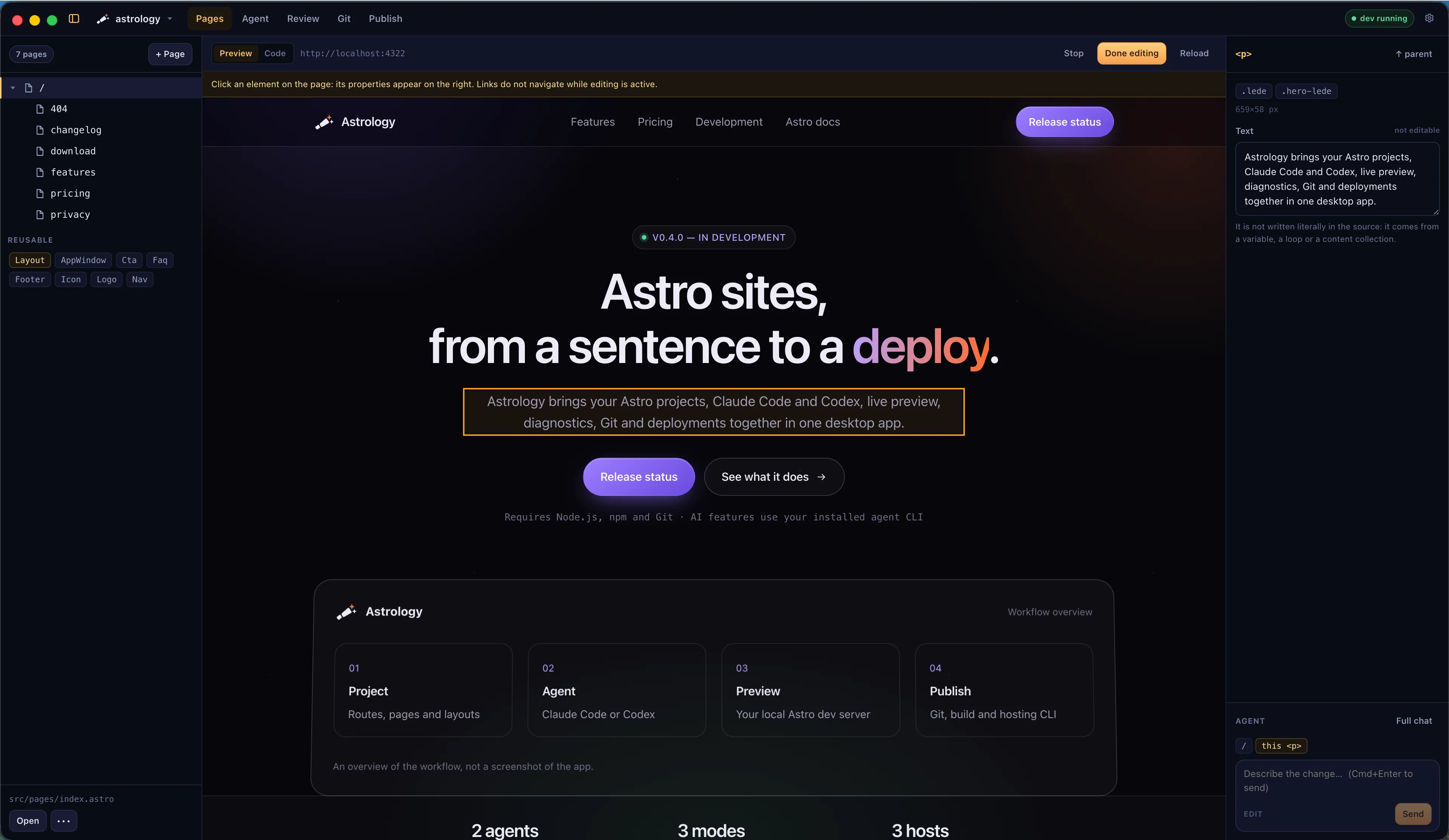
Astrology editing this website: route tree, live preview and the agent composer in one window.
Works with Claude Code and Codex CLI · Git and GitHub CLI · Vercel, Netlify and Cloudflare
Astrology gives that afternoon back: the check happens in the same window as the change.
Four steps. The project folder, the agent account and the hosting keys stay yours.
Point Astrology at a project folder, or start one from an Astro template. It checks which tools your computer already has and can install the supported npm-based ones.
Propose to talk a change through, Edit to let the agent write files, Autonomous for broader command access. The request runs in the Claude Code or Codex CLI you already use.
Read the agent's output with the live preview beside it. Diagnostics and the Git change summary say what moved, and the next request starts from the same screen.
Write the commit, push, build the site and deploy through your host's CLI. Each action keeps its own output and status.
Edit and Autonomous write to the project directly: changes are reviewed in the preview and in Git, not held in a per-file approval queue.
A composer sits under the properties column. Context chips say which page is open and which element is selected, so the request can stay one sentence — and the answer arrives as code in your project.
---
import Layout from '../layouts/Layout.astro';
import TagList from '../components/TagList.astro';
import { getCollection } from 'astro:content';

const posts = (await getCollection('blog'))
  .sort((a, b) => b.data.pubDate - a.data.pubDate);
---

<Layout title="Blog">
  <ul class="posts">
    {posts.map((post) => (
      <li>
        <a href={`/blog/${post.id}/`}>{post.data.title}</a>
        <TagList tags={post.data.tags} />
      </li>
    ))}
  </ul>
</Layout>Structure, page, broken links, translations, history and deploy — the parts of a handover you cannot sign off without looking.
Import a project folder or create a site from an Astro template. Keep your projects, preferred agent and deployment target together.
Explore routes, layouts, endpoints and detected content collections. The route tree updates as files change.
Switch between the live page and its highlighted Astro source. Edit and save the full file internally, or change supported literal text and attributes directly from the preview.
Find missing images, broken internal links, translation gaps and dependency issues. Use the available automatic, agent-assisted or manual remedies.
Inspect repository status, a change summary and commit history. Commit, push and pull, or create a GitHub repository through GitHub CLI.
Run production builds and deploy through Vercel, Netlify or Cloudflare CLI. Preview and production actions use your host account and project configuration.
That is what the waitlist is for. Astrology is an internal build, so there is no public installer and no purchase yet: leave your details and you will be contacted when demo slots open. A demo is a walkthrough of the current build, run on a real Astro project.
Yes. Choose its folder to add it to the workspace. You can also create a project from a template. Astrology works on the project files in that folder.
Claude Code and Codex CLI. Install and authenticate the agent you want to use. Astrology runs that CLI; it does not provide an API-key form, an included model subscription or a local-model selector.
The working files stay in your project folder, but connected tools can send data over the network. Claude Code and Codex handle AI requests according to their configuration and provider policies. Git pushes and deployments send code or build output to the selected service.
Astrology is an internal build. Join the waitlist to be invited to a demo and to hear first when the studio licence opens.
Requires Node.js, npm and Git · AI features use your installed agent CLI